
AI ASSISTANT TEAM
Koya
A team of AI assistants that splits the work, and checks with you first.
An app where several AI assistants each take an area, hand work to one another and keep it all in a task center, while anything important waits for your approval.
In-house use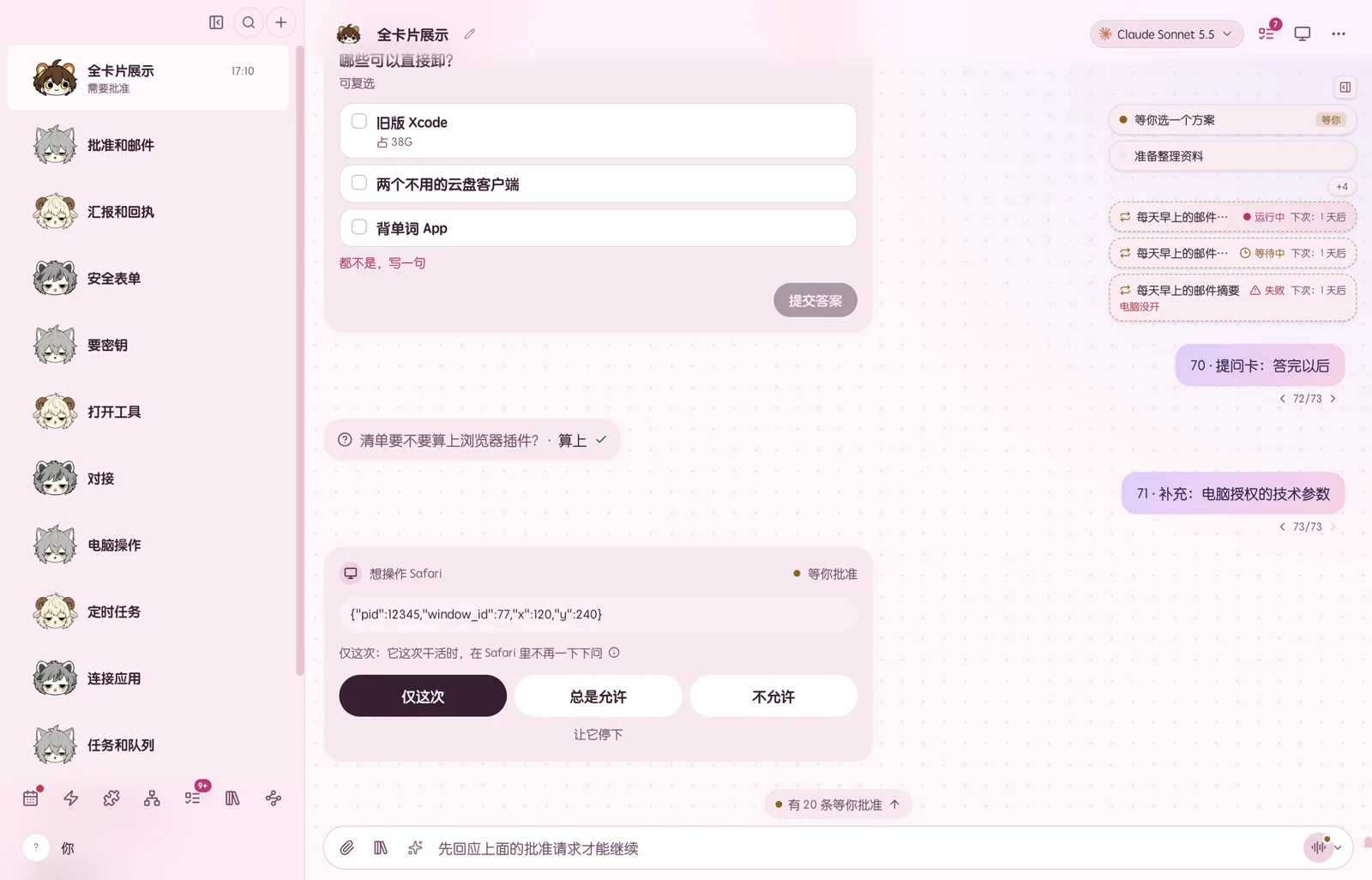
THE IDEA
Not one assistant. A team that works for you.
Most AI tools give you one assistant and one long chat. Koya gives you a small team instead: each assistant has its own role, its own memory and its own work, and they pass tasks to one another the way colleagues do.
You can talk to them from your computer or your phone. Whatever they are working on lines up in the task center: what is waiting for you, what is in progress, what is stuck. You see where things stand without reading every conversation.
When an assistant needs something only you can give, such as a yes before an action, a choice between options or a password, it asks with a card. You answer with a tap, and the password never goes into the chat.
WHAT IT DOES
Hand over the work. Keep the final say.
Screen with sample data A team, each with a role
Each assistant owns an area. Hand one a job and it passes the parts to the right colleagues, each tracked as a task.
Screen with sample data Every task in one place
Each job becomes a task with steps. Waiting on you, in progress, blocked: it is all on one board.
Screen with sample data Asks before it acts
Before anything important, such as paying your bills, an approval card shows exactly what it will do. Nothing happens until you allow it.
Screen with sample data Computer and phone in step
Ask from your phone and the reply shows up on your computer too. Conversations, tasks and cards stay in sync on both.
AND ALSO
Remembers what matters
Each assistant keeps its own long-term notes on your preferences and the decisions you have made, so you do not have to repeat yourself.
Runs on a schedule
Turn a daily summary or a weekly check into a routine, and the assistant gets to it on time by itself.
Secrets stay out of the chat
When a password or key is needed, you type it into a separate secure field. It never lands in the conversation.